How to test if connection issues on a PrismCut are due to a network setting versus an issue with the cutter's WiFi module or antenna:
- Have the customer turn on mobile hotspot and set a suitable wifi password on their phone.
- Connect both the cutter and the computer to the phone's mobile hotspot.
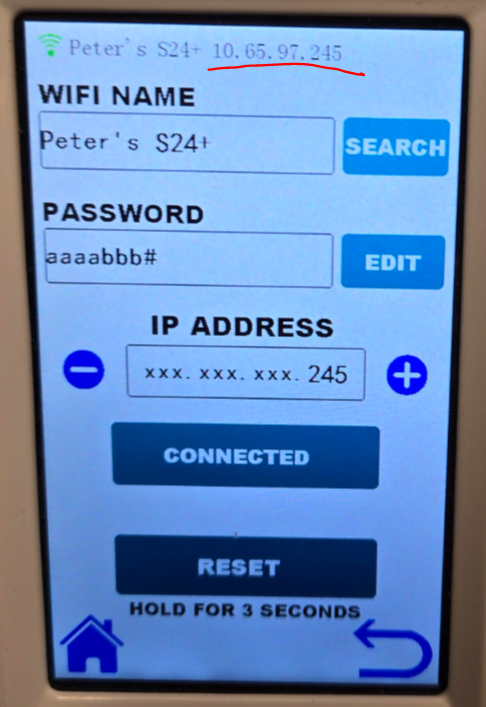
- The IP address of the cutter will be at the top of the screen:
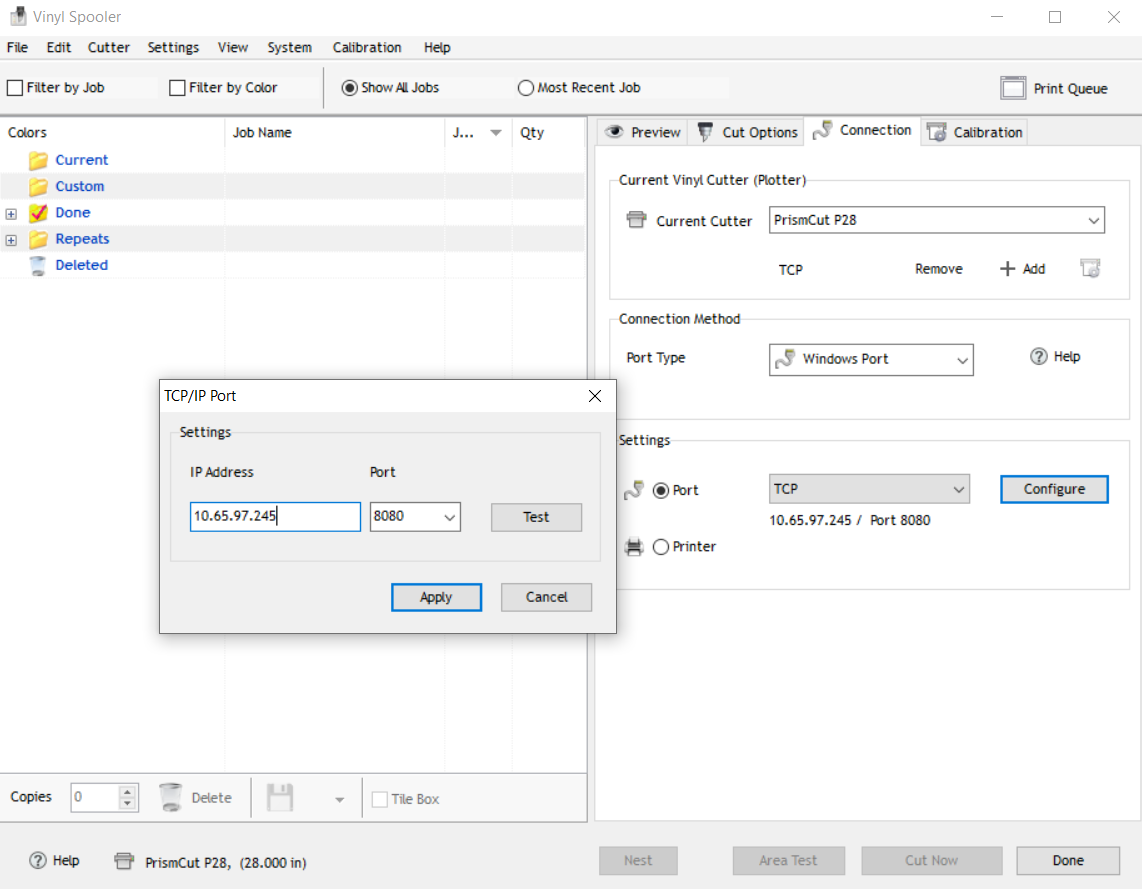
- VinylMaster will then be able to connect on a Windows Port as TCP on port 8080 if the WiFi module and antenna are both working.
Was this article helpful?
That’s Great!
Thank you for your feedback
Sorry! We couldn't be helpful
Thank you for your feedback
Feedback sent
We appreciate your effort and will try to fix the article